The Rise of QR Code Phishing (Quishing): How to Spot and Stop It
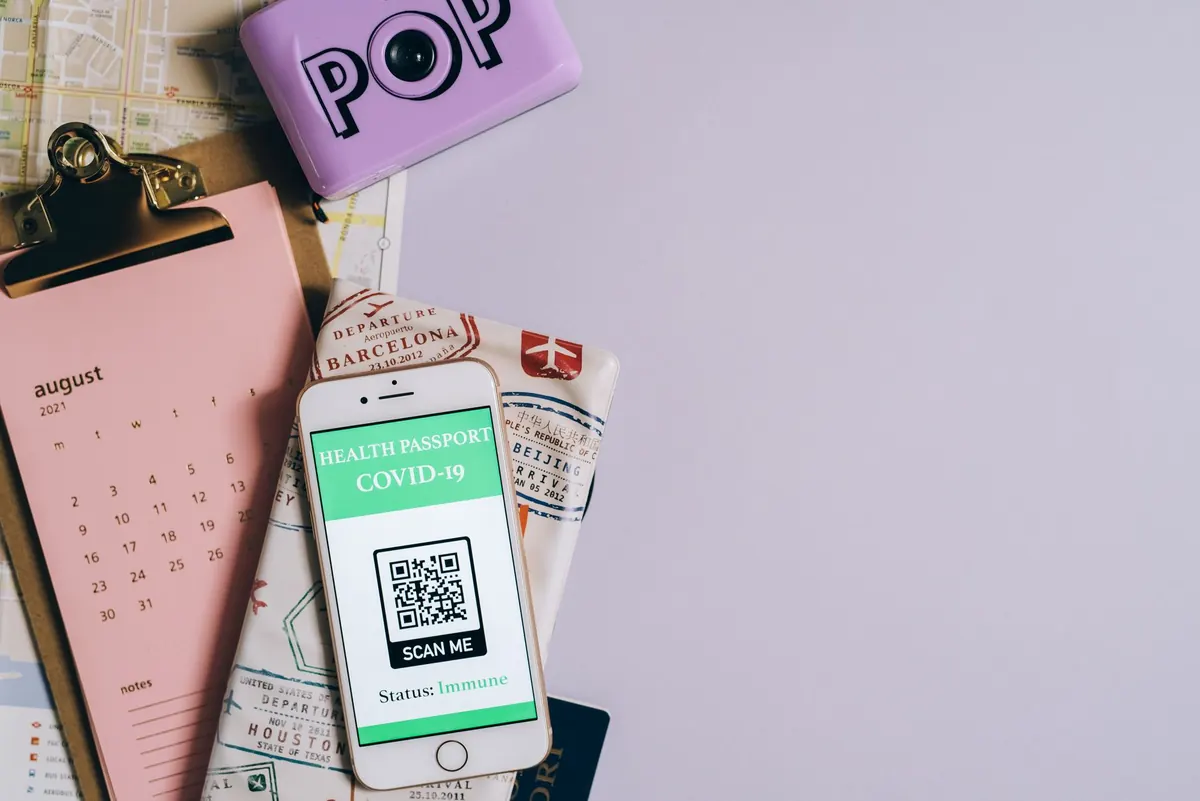
Your phone's camera has become a button. Point it at a square of black-and-white pixels and it will open a payment page, join a Wi-Fi network, install an app, or ask for your login. The problem is that the button has no label. A web address printed in text invites a second look before you click. A QR code hides the destination until the browser is already loading it.
Attackers built a whole category of phishing around that gap. It is called quishing, and it works because it removes the one check most of us still perform: reading the link before trusting it.
What Quishing Actually Is
Quishing is phishing where the payload travels as a QR code instead of a link. The message around it looks familiar: a payroll notice from HR, a "your parcel is waiting" text, a benefits enrolment PDF, a request to re-authenticate a work account. Only the action changes. Instead of clicking, you are asked to scan.
The technique comes in two flavours. The physical version is old: a sticker with a malicious code pasted over the genuine one on a parking meter, an EV charger, or a restaurant table. The digital version is what has grown. A QR code can sit inside an email body, an image attachment, a PDF, or a chat message, and because it is just pixels, it slips past filters that look for suspicious links in text.
Why It Works So Well
Three things line up at the same time.
- Nobody can read a QR code. There is no hover preview, no visible domain, no chance to notice a swapped letter. Even careful people scan and tap without thinking.
- It moves the attack to a personal device. A code delivered to a work inbox is usually scanned with a personal phone, outside the corporate proxy, endpoint agent, and browser extensions that might have flagged the destination.
- It breaks the login flow. Many camera apps open the destination immediately, and the fake sign-in page appears in a mobile browser where the address bar is small and easy to ignore.
There is a newer variant worth knowing. The code leads to a real identity provider's device-login page with a code already filled in. You scan, you approve, and the attacker receives a valid session without ever learning your password. Nothing about that page looks fake, because it isn't.
A message that asks you to scan a code in order to sign in, confirm your identity, or "restore access" should be treated as hostile until proven otherwise.
Where It Shows Up
In work email, the most common lures pretend to come from HR, IT, payroll, or a finance system. The code points to a page that mimics a corporate sign-in screen and harvests whatever you type. Attackers also wrap codes inside PDFs to dodge link scanners, and hide them in images that look like a legitimate newsletter or invoice.
Outside work, watch for codes on parking meters, restaurant tables, delivery slips, and event signage. A fake sticker over a real code is cheap to make and hard to notice. Delivery and parking texts with a "scan to pay" instruction are a steady favourite because a small, urgent charge is easy to approve without a second thought.
How to Spot a Malicious Code
- Inspect the physical code. Genuine codes are printed flush with the surface. Fakes are stickers with curled corners, slightly different colour or size, or placed just beside an original.
- Use a scanner that previews the URL. Many phone cameras show the destination before opening it. Check yours, and if it doesn't, install a reader that does. Read the address before you continue.
- Read the domain, not the path. The part that matters sits immediately before the first single slash. A trusted brand name appearing earlier in the string usually means a subdomain that someone else controls.
- Distrust the context. An unsolicited code arriving by email, text, or direct message is untrusted, no matter how official the surrounding design looks.
- Refuse to log in through a code. Legitimate services rarely require you to scan something in order to reach a password page you could have reached directly.
- Be wary of codes that install something. An app download or a configuration profile is a much bigger commitment than opening a page, and a harder one to undo.
If You Already Scanned It
- Close the page before typing anything. No data, no problem.
- If you entered credentials, change that password immediately from a different, trusted device and sign out of active sessions.
- If you approved an authentication prompt you did not start, tell your IT or security team now. That session needs to be revoked.
- If payment details went in, call your bank or card provider and explain what happened. Ask them what to do next.
- Keep the message and note the time. It helps whoever investigates, and it warns colleagues who received the same thing.
What Security Teams Should Do
Filter where codes live
Text-based link scanning will not see a QR code. Add image and PDF analysis that decodes codes at the gateway, and treat a decoded destination the same way you would treat a pasted link.
Watch the login side, not just the inbox
Alert on device-code sign-ins, especially from unexpected locations, and disable that flow for accounts that never use it. Conditional access rules that require compliant devices do real work here.
Make phishing-resistant authentication the default
Passkeys and hardware security keys defeat credential harvesting outright. Where they are not yet possible, number matching beats a simple approve button, because it forces the user to read something.
Make reporting effortless
A one-click report button plus a short, regular note about what people are seeing beats a yearly awareness module. Tell staff what happened after they report, too. Silence kills reporting rates.
A Habit That Stops Most of It
Treat every QR code as a link you cannot see. Before you tap, get the destination in front of you and read the domain. If it doesn't match what you expected, stop and reach the service the normal way, through the app or a bookmark you already trust.
That single pause covers the sticker on the parking meter, the PDF from "HR", and the code that quietly approves a login somewhere else. The technology changes; the reflex doesn't need to.
Photo: Leeloo The First / Pexels